Open Reference to Video on AIAI, add an owned image, describe the motion and review the settings before deciding whether to generate.
This guide prepares AIAI’s Reference to Video workspace with an existing product image and a manually written motion prompt. It follows one real desktop session and stops before generation.
- Beginner
- English video + illustrated steps
- Observed September 19, 2026
- 0 generation jobs
Disclosure: eWiki has a business relationship with AIAI. See our disclosure. Interface labels and quotes can change.
Watch the walkthrough
Real continuous window recording with reviewed waiting intervals accelerated. English narration uses en-US-JennyNeural. Zooms and pointer guides are editorial annotations, not recorded cursor telemetry.
1. Inspect the model
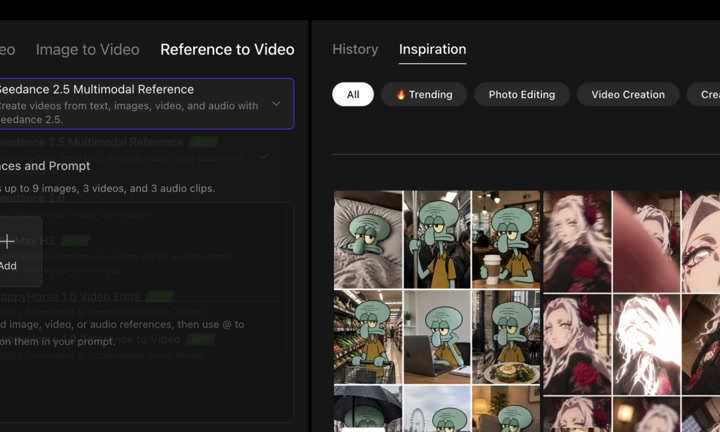
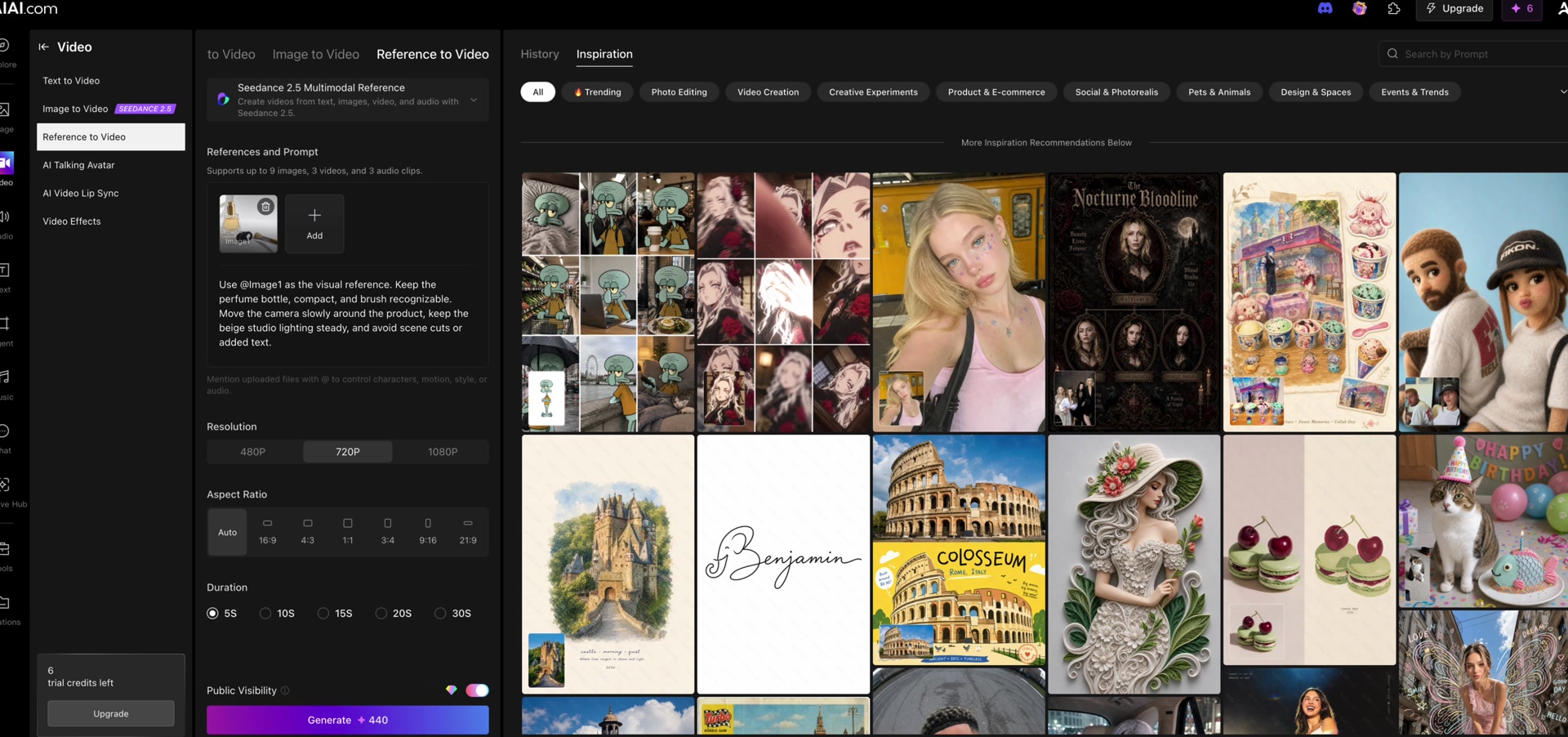
Open Video → Reference to Video. Our session kept Seedance 2.5 Multimodal Reference. The form says it can combine text, images, video and audio; supported file types, limits and the credit quote may differ by model or account.
2. Add an owned reference
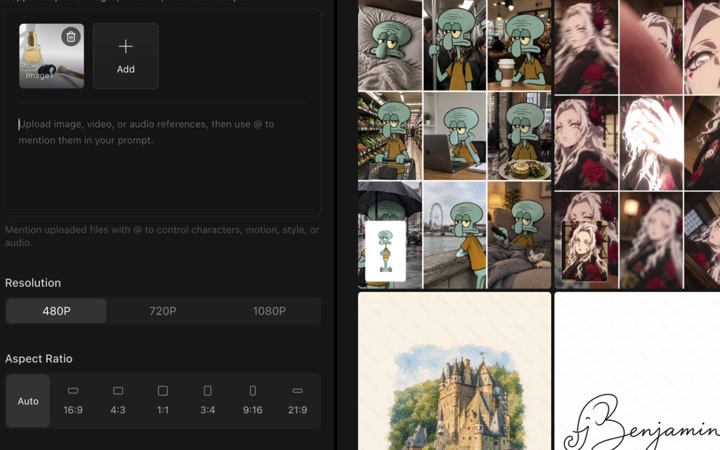
Use the Add area to choose an image you own or have permission to use. We uploaded the existing 1024 × 1024 product-reference.webp. It became Image1, which the prompt can mention with @Image1. No new reference image was generated.
3. Describe the motion
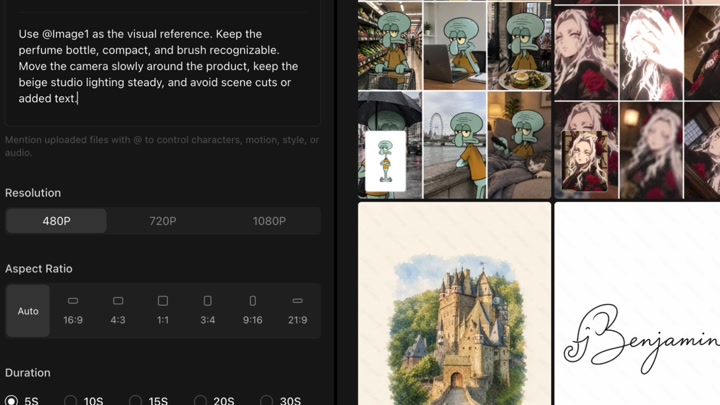
Separate what must stay recognizable from how the camera moves. Our prompt asks the product set to remain recognizable while the camera moves slowly, studio lighting stays steady, and scene cuts or added text are avoided.
4. Review the video settings
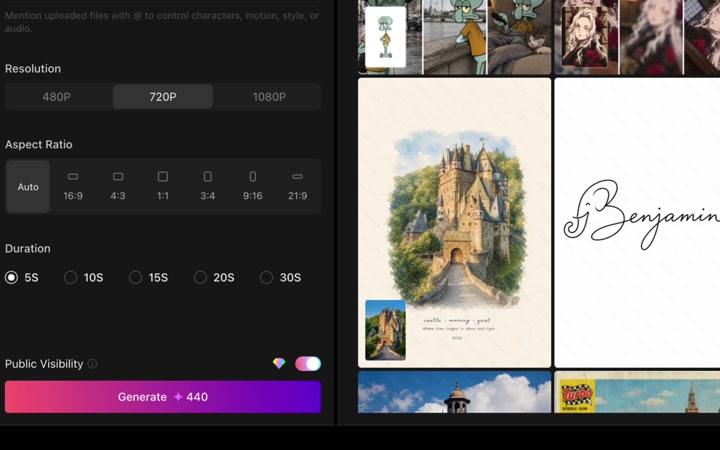
| Setting | Used here | Notes |
|---|---|---|
| Resolution | 720P | Changed from 480P. |
| Aspect ratio | Auto | Kept. |
| Duration | 5S | Kept. |
| Credit quote | 440 | Displayed quote only; initial quote was 215. |
5. Stop before Generate
Public Visibility was on and was observed without changing it. Generate 440 is a quote, not a charge from this tutorial. We did not click it, test an insufficient-balance submission, buy credits or inspect a result. The displayed balance remained 6.
Open Reference to Video on AIAI and follow these steps with your own image. You can stop after reviewing the quote.
Before you continue
| Question | What to check |
|---|---|
| My form differs | Check the model, file limits and current labels before uploading. |
| The reference is missing | Check the selected file and upload message. Do not generate merely to test an upload. |
| The quote exceeds my balance | Stop before Generate; quote review is the end of this exercise. |
| Will the output be accurate? | Unknown here. No output was generated or evaluated. |
Session notes
Recorded in signed-in desktop Chrome on September 19, 2026. Actions: model review, upload of one existing WebP reference, manual prompt entry and the settings above. Generation count 0; credits consumed 0; displayed balance 6 → 6. No assistant request, translation, playback, payment, result generation or download was submitted.
Improve this guide
Report a problem or suggest the next question
Submissions enter a private editorial queue. They are reviewed and deduplicated before any public update or new page is created.